
NS Experience Center
The website went beyond the screen
The assignment seemed simple: build an application for an experience center.
I built it. Looked at it. And thought: this still is not a final product.
Not exactly what you hope to think once everything is already in place. But it did become the starting point for something better.
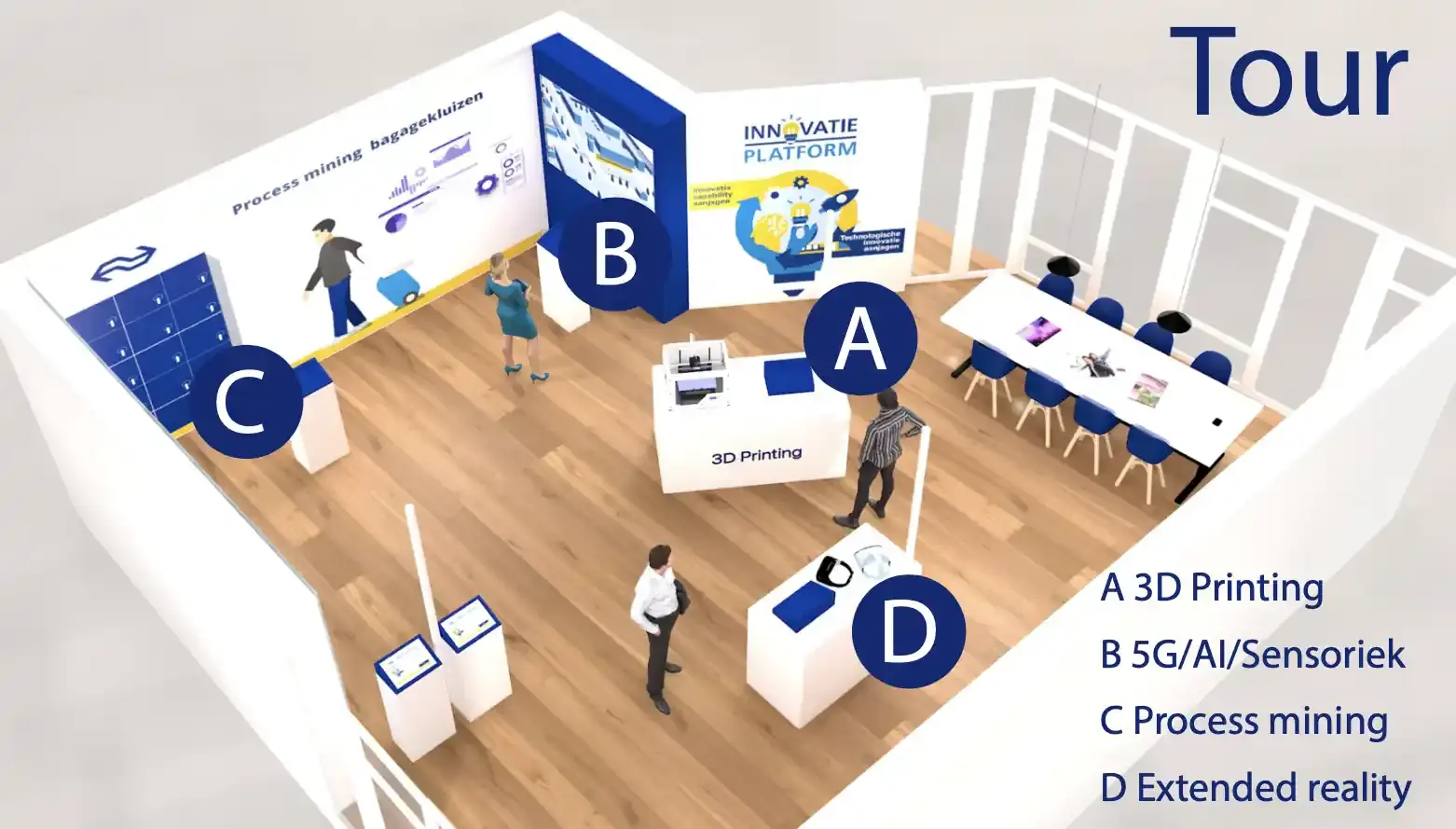
Discovering innovation by walking up to it
The NS Experience Center, located inside NS headquarters in Utrecht, tells stories about technological developments within the organization: from 3D printing to augmented reality and process mining.
Visitors walked through the space with an iPad, moving from one physical station to the next. Each station had a dock. As soon as the iPad was placed inside, the content for that station opened automatically.
The assignment seemed clear: build an application for an experience center.
At first, that sounded pretty straightforward: translate the design, build the screens and make sure everything worked.
But the design did not only have to work on the screen. It also had to work in the route through the space.
I built it. Looked at it. And...
There was already a design for the application. My first job was to get it working.
While building it, I could see much better how the design behaved as a whole. A single screen can look fine on its own. Only when all pages sit behind each other do you notice whether the hierarchy works and whether the experience feels like one complete system.
It did not, yet.
During a review, I was asked what I thought. I said it still felt mid-fi, even though it was already supposed to be hi-fi.
I got to make the redesign and thankfully, it landed well.
My role started with development, but expanded into design during the project. That overlap is exactly the part I like most.
One action, quite a few steps
To understand the full route, the flow was mapped out in an Excel overview. Per step: what the visitor did, which page had to open and which technical action was needed.
That made it clear how the docks, the iPad, the content and the physical stations were connected.
Through UDP, the application could send commands to a BrightSign media player. An action on the iPad could therefore also determine which media played in the space.
That overview did not only help during development. After completion, the environment was converted into the final application, so the logic also had to be easy to hand over.
- Dock: the visitor places the iPad in the dock of a station
- Request: the app sends a request to WordPress with the dock ID
- Content: WordPress returns the matching page as JSON
- Display: the app shows the content and sends a UDP signal to BrightSign
For NS, this meant visitors did not have to search for the right story themselves. The place they were standing did that work.
As soon as the iPad was placed in a dock, the right content appeared and the media in the space responded with it. The technology behind it was mapped out and transferable, but for the visitor it stayed simple.
Place the iPad, done.